Empty Clicks Ruin Your ROAS: Click Scanner vs. Standard Google Ads Protection
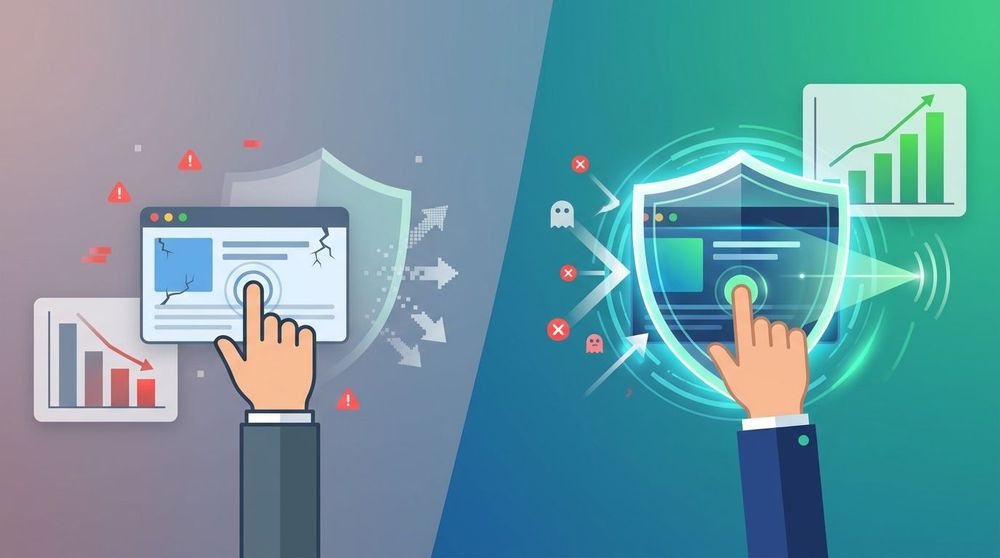
source: own elaboration
Colliding with the Reality of Ad Fraud: Why Traditional Campaigns Lose Budget
Every marketer and e-commerce store owner strives to maximize their Return on Ad Spend (ROAS). Unfortunately, a significant portion of budgets allocated to PPC (Pay-Per-Click) campaigns is wasted. The phenomenon of ad fraud—advertising fraud—is not a marginal issue; it is an organized practice that directly hits the profitability of e-commerce in Europe and globally. It is estimated that about 51% of internet traffic is generated by machines and automated bots, rather than real users with genuine purchase intent.
While European markets are dynamically implementing artificial intelligence—as indicated by the McKinsey report The state of AI in 2025, the adoption rate of AI in B2B enterprises has already reached 88%—the dark side of technology is developing in parallel. Ad fraudsters use advanced algorithms to simulate artificial traffic, click out competitors' budgets, and extort commissions. According to a market analysis by Dataintelo, the global market for Ad Fraud Detection AI was valued at USD 1.4–1.9 billion, and its projected growth by 2033-2034 is expected to reach between USD 3.8 and even USD 8.7 billion. This shows the massive scale of the challenge that modern businesses face.
Key fact: More than half of global web traffic is non-human activity. Without advanced protection, up to every third click on your ad could be worthless. — Source: Dataintelo Report
Many advertisers live under the impression that giants like Google or Meta fully protect their interests. However, reality is often different. Standard ad platform filters act reactively and frequently fail to handle sophisticated, distributed attacks. In this article, we will compare standard Google Ads protection with the dedicated Click Scanner tool from TrafficWatchdog in detail.
The Anatomy of Threats: How You Lose Money on CPC Campaigns
To understand why standard Google Ads protection is not enough, one must first learn the mechanisms used by dishonest entities. Low-quality or fraudulent traffic can be divided into several key categories:
1. Bots and Automated Scripts (Publisher Fraud)
Some dishonest publishers and affiliate networks deliberately run bots that simulate clicks on banners and sponsored links on their sites. Each such click generates CPC commission revenue for them, while the advertiser receives worthless traffic that immediately leaves the site (high bounce rate, zero conversion). These attacks often intensify during the night when CPC rates can be lower and marketing teams' vigilance is down.
2. Click Farms and GPT (Get Paid To) Sites
This is an organized activity based on human labor. On GPT websites, users receive micro-payments for clicking on ads and spending a specified amount of time on pages. Since this traffic comes from real people using real devices and unique IP addresses, it is extremely difficult to detect by standard Google Ads algorithms. However, these users have absolutely no purchase intent.
3. Deliberate Competitor Sabotage
In saturated e-commerce and service industries, deliberately clicking on rivals' ads is a common phenomenon. Competitors—acting manually or outsourcing to external entities—click your sponsored links to exhaust your daily budget before noon. As a result, your ads disappear from search engines during peak shopping hours, and customers go to your competitors.
4. Accidental Clicks (Fat Finger)
Especially on mobile devices, 10% to even 50% of clicks on display ads can be completely accidental. Publishers often deliberately design page layouts so that a user trying to scroll content or close a window accidentally clicks on the ad creative. You then pay the full CPC rate for traffic completely devoid of intent.
5. "Ghost" Clicks and Attribution Theft
Sometimes advertising systems report significantly more clicks than analytics systems actually record on your website. These missing visits are so-called ghost clicks. Additionally, malicious browser extensions and malware can use cookie stuffing or click hijacking, overwriting the attribution source just before purchase and stealing commissions owed to other channels.
Click Scanner vs. Standard Google Ads Protection: A Direct Comparison
Google Ads has built-in filters that reject obvious, repetitive clicks from the same source in a short period. However, it does not offer advanced behavioral analysis or deep real-time device identification. The table below presents a detailed comparison of both approaches:
| Feature / Functionality | Standard Google Ads Protection | TrafficWatchdog Click Scanner |
|---|---|---|
| Identification Method | Basic analysis of IP, sessions, and basic click patterns. | Advanced **Device Fingerprinting** (digital device footprint), virtual fingerprint, and behavioral analysis. |
| Click Farm and GPT Detection | Very limited effectiveness (traffic comes from real people). | High effectiveness thanks to post-click behavior pattern analysis (time on page, interactions). |
| Protection against IP Rotation (VPN/Proxy) | Weak – bots changing IP after each click bypass filters. | High – the system groups devices by fingerprint, regardless of IP changes. |
| Blocking Method | Automatic filtering of clicks deemed invalid by Google (often post-factum). | Automatic IP exclusion via Google Ads API and blocking through remarketing lists (Google & Meta). |
| Support for Performance Max (PMax) | Standard account filters. | Full protection thanks to automatic blocking at the entire ad account level. |
| Independent Audit and Claims | No objective tool (Google is the judge in its own case). | Generation of ready-to-use, independent claim reports compliant with IAB standards. |
How Does Click Scanner Work? Technology in Service of Your Budget
Click Scanner from TrafficWatchdog operates as an independent, third-party measurement tool. The entire process relies on an advanced machine learning algorithm and Big Data analysis, proceeding in a few simple steps:
Step 1: Parameter Extraction (Device Fingerprinting)
After implementing a short JavaScript code on the landing page (or a dedicated plugin for platforms like WooCommerce, Shoper, Shopify, or IdoSell), the system generates a unique digital device footprint (fingerprint) for every click. Hundreds of non-personal parameters are analyzed, including screen resolution, graphics card, installed fonts, time zone, and browser version.
Step 2: Behavioral and Contextual Analysis
The system evaluates user behavior on the page. A real human moves the mouse, scrolls content, clicks on interactive elements, and spends a specific amount of time on the site. Bots or paid clickers exhibit unnatural behavior patterns—either leaving the site instantly or performing repetitive, schematic movements. Additionally, the internet service provider is verified (detecting VPNs, data centers, proxy networks, or the TOR network).
Step 3: Click Quality Assessment
Each visit receives a status in the TrafficWatchdog panel:
- OK: Correct traffic, generated by a real user.
- INCORRECT (WORTHLESS): Traffic with low behavioral quality, without purchase intent.
- INCORRECT (FAKE): Obvious ad fraud – detected bots, virtual machines, emulators, or manipulated browser headers.
Step 4: Automatic Blocking
If the system identifies a fraudulent user, it immediately initiates the blocking procedure using two complementary methods:
- API access to Google Ads (IP Blocking): Through manager-level integration, Click Scanner automatically adds the fraudster's IP address to the exclusion list in your campaigns. As a result, the ad will not be displayed to them again, even if they clear their cookies.
- Remarketing lists (Google Ads & Meta Ads): The system creates a dynamic list of blocked users based on their fingerprints. This list is automatically excluded from displaying ads on Facebook, Instagram, and Google.
Key fact: The combination of IP blocking at the API level and exclusions on remarketing lists allows for the creation of a tight, multi-layered protective barrier for your advertising budget. — TrafficWatchdog Documentation
Business Benefits for E-commerce and Marketers
Implementing Click Scanner brings tangible benefits at every stage of marketing campaign management:
- ROAS Increase and CPA Decrease: By eliminating empty clicks, you ensure that your daily budget is spent exclusively on people genuinely interested in your offer. The average Cost Per Acquisition (CPA) drops, and the return on investment rises.
- Clean Data for Optimization: Google Ads algorithms (including Performance Max and Smart Bidding campaigns) learn based on conversion data. If the system learns from fake clicks, it optimizes campaigns for bots. Click Scanner provides clean data, enabling Google's AI algorithms to make better decisions.
- Recovery of Lost Funds: Thanks to ready-made claim reports compliant with IAB (Interactive Advertising Bureau) guidelines, you can apply for refunds from Google for identified invalid clicks.
- Compliance with European Regulations: Click Scanner processes only non-personal and technical data. It is fully compliant with GDPR and the EU AI Act. Data processing is based on the legitimate interest of the administrator (Art. 6(1)(f) GDPR), which is fraud prevention (Recital 47 GDPR).
Questions and Answers (FAQ) – Click Scanner
Do I need to share Google Ads access with TrafficWatchdog?
It is not fully mandatory, but recommended for complete protection automation. Manager-level API access is required solely for automatic IP exclusions in Google Ads campaigns.
If you do not want to grant such access, Click Scanner can protect your campaigns using remarketing lists. In this scenario, the system generates a list of fraudulent users, which you manually add as an exclusion in your ad panel. Monitoring and reporting work seamlessly in both cases.
Does IP blocking make sense if bots frequently change IP addresses?
Yes, IP blocking is a key element of protection, though not perfect on its own. Because Google Ads provides limited technical methods for exclusions, TrafficWatchdog combines IP blocking with remarketing lists and claim reports.
Even if an advanced bot rotates IP addresses, each such change incurs costs and takes time for the attacker. Furthermore, many threats—such as dishonest competitors clicking manually or simple click farms—do not use dynamic IP rotation, meaning IP blocking eliminates them instantly.
Does Click Scanner work with Performance Max (PMax) campaigns?
Yes, but with one important technical caveat. Performance Max campaigns in Google Ads do not support IP exclusions at the individual campaign level.
For Click Scanner's protection to be fully effective in PMax campaigns, IP exclusions must be configured at the entire Google Ads account level. Our system manages these settings automatically.
Will pasting the JavaScript code slow down my website loading?
No. The TrafficWatchdog tracking script runs fully asynchronously. This means the user's browser loads it independently of the main page elements, which does not negatively affect website load time or Core Web Vitals (this can be easily verified using the Google Lighthouse tool).
Is using Click Scanner compliant with GDPR and the new AI Act?
Yes. The system collects only technical and behavioral device data, which does not allow TrafficWatchdog to identify a specific natural person.
According to EU regulations, fraud prevention and maintaining network security constitute a legitimate interest of the administrator (Art. 6(1)(f) GDPR). Additionally, this implementation is not subject to high-risk system restrictions under the EU AI Act, ensuring full legal safety.
Frequently Asked Questions
How does TrafficWatchdog integrate with our current marketing campaigns?
The integration of the TrafficWatchdog system with your advertising campaigns is fully automated. Our Click Scanner module connects directly to advertising platforms (such as Google Ads) via a secure API. This allows suspicious IP addresses and devices generating dishonest traffic detected by the system to be automatically blocked in real-time directly in your ad panel.
Does system implementation require advanced technical knowledge?
No, implementing TrafficWatchdog is simple and quick. The process is based on placing a dedicated tracking code on your website and linking the advertising account via API. Our technical team provides full support at every stage of the implementation, ensuring correct configuration without burdening your internal IT resources.
How does TrafficWatchdog ensure data security and GDPR compliance?
Data security of our clients is crucial to us. TrafficWatchdog collects and analyzes only technical, non-personal data (click parameters, form parameters, device fingerprint, and behavioral data). The system does not collect or process sensitive personal user data, which ensures full compliance with GDPR regulations and internal corporate security policies.
What are the implementation costs, and what does the final price depend on?
The costs of using TrafficWatchdog are flexible and tailored to the scale of your company's marketing activities. The pricing depends on traffic volume and selected protection modules: Click Scanner (CPC campaign protection against bots and click farms), Lead Scanner (CPL form protection against fake inquiries), or Affiliate Scanner (attribution protection). This investment pays off very quickly by immediately eliminating the waste of advertising budget on non-human traffic.
What types of ad fraud is your system able to detect?
The TrafficWatchdog system effectively identifies and neutralizes a wide spectrum of threats. These include automated bots (generating an estimated 51% of internet traffic), organized click farms, GPT (Get Paid To) sites, and commission fraud attempts in affiliate models. Identification takes place using advanced device fingerprinting, user behavior analysis (behavioral analysis), and constantly updated databases of known bot networks.
Which product will be suitable for my business: Click Scanner or Lead Scanner?
The choice depends on the goals of your advertising campaigns. If your main goal is to acquire traffic and you pay for clicks (CPC model), Click Scanner will protect your budget from being clicked out by bots and competitors. If, on the other hand, your campaigns focus on generating leads and contact forms (CPL model), Lead Scanner will prevent fake inquiries from coming in. For optimal results in the B2B segment, we recommend using both solutions in parallel.
Summary
Ignoring the problem of ad fraud is a direct permission to waste your marketing budget. Standard Google Ads filters, while useful, do not provide a sufficient barrier against modern, distributed ad fraud techniques. A dedicated solution like Click Scanner from TrafficWatchdog allows you to take full control over traffic quality and realistically optimize your ROAS.
Key Takeaways:
- Scale of the threat: More than half of global web traffic is generated by bots, directly translating to wasted e-commerce advertising budgets.
- Google Ads limitations: Standard ad platform filters act reactively and do not identify advanced click farms or organized competitor sabotage.
- Technological advantage: Click Scanner uses Device Fingerprinting and behavioral analysis to accurately distinguish real customers from bots and accidental clicks.
- Automation: Thanks to API integration with Google Ads and automatic remarketing lists for Meta Ads, fraudster exclusion happens in real-time without taking up your time.
- Legal compliance: The tool is fully secure, compliant with GDPR and the EU AI Act, operating based on the legitimate interest of financial fraud prevention.
Want to check how much of your advertising budget goes to bots and dishonest publishers? Take advantage of a free, 14-day trial of Click Scanner (up to 10,000 clicks) and start genuinely protecting your revenue today.